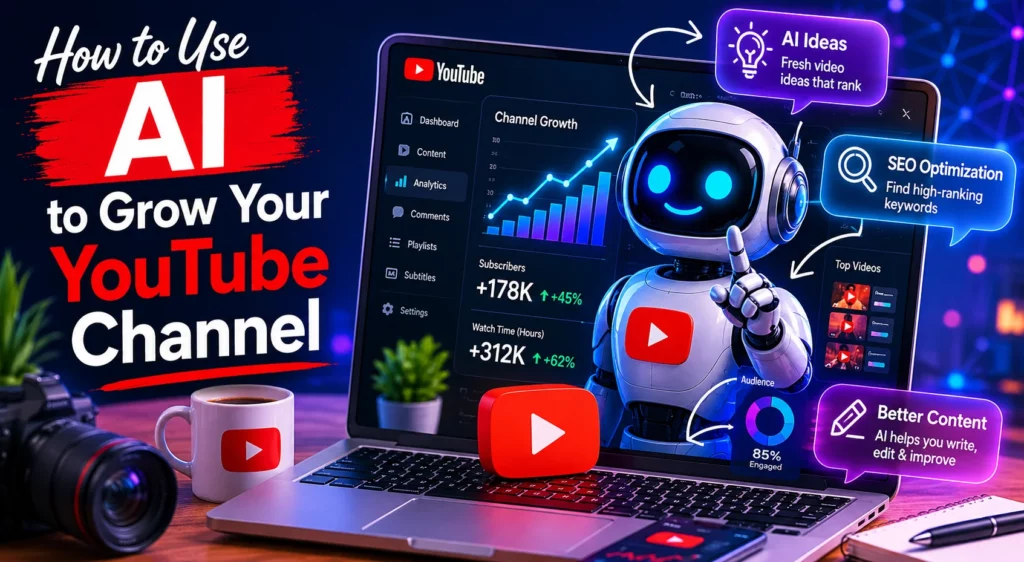
YouTube has become one of the most competitive content platforms in the world. Millions of creators upload videos daily, making it harder than ever to stand out. Fortunately, artificial intelligence (AI) is changing the game for creators of all sizes.
AI tools can help you brainstorm ideas, optimize videos for search, edit content faster, create better thumbnails, analyze performance, and even improve audience engagement. Whether you are just starting your channel or trying to scale an existing audience, AI can significantly improve your workflow and help you grow faster.
In this guide, we will explore practical ways to use AI to grow your YouTube channel in 2026.
1. Use AI to Discover High-Performing Video Ideas
One of the biggest challenges for YouTubers is consistently coming up with content ideas that people actually want to watch. AI-powered research tools can help identify trending topics, search demand, and audience interests.
Platforms such as:
- TubeBuddy — https://www.tubebuddy.com/
can help you discover trending keywords and identify gaps in your niche.
AI tools analyze search behavior, competition levels, and viewer interest to suggest video topics that are more likely to perform well.
For example, if you run a fitness channel, AI tools might reveal that “10-minute home workouts” are trending faster than general fitness tutorials. Instead of guessing what people want, AI allows you to make data-driven content decisions.
Pro Tip
Use AI-generated keyword suggestions to build content clusters around related topics. This improves your channel authority and increases discoverability on YouTube search.
2. Generate Better Video Titles and Descriptions
Your title and description directly affect click-through rates and discoverability.
AI writing assistants can help generate optimized:
- Video titles
- SEO descriptions
- Hashtags
- Keyword placements
- Call-to-actions
Tools like:
- ChatGPT — https://chatgpt.com/
- Jasper — https://www.jasper.ai/
- Copy.ai — https://www.copy.ai/
can create multiple title variations optimized for engagement.
Instead of writing:
“Tips for YouTube Growth”
AI may suggest:
- “10 AI Tricks That Grew My YouTube Channel Fast”
- “How I Used AI to Reach 100K Subscribers”
- “The Best AI Tools for YouTube Creators in 2026”
These titles are more engaging and more likely to attract clicks.
3. Use AI for Script Writing and Content Planning
Many creators struggle with scripting videos consistently. AI can help speed up content production by generating outlines, hooks, talking points, and full scripts.
AI writing assistants can help you:
- Structure videos better
- Improve storytelling
- Generate stronger hooks
- Reduce writer’s block
- Maintain consistent posting schedules
For educational or tutorial content, AI can quickly organize information into a logical flow.
However, creators should avoid relying entirely on AI-generated scripts. The best results come from combining AI efficiency with your own personality and experience.
Your unique voice is still what builds loyal audiences.
4. Create Professional Thumbnails with AI
Thumbnails are one of the most important elements of YouTube growth.
AI-powered design platforms can help create eye-catching thumbnails even if you have no graphic design experience.
Popular tools include:
- Canva AI — https://www.canva.com/
- Adobe Express — https://www.adobe.com/express/
- Thumbnail AI — https://thumbnail.ai/
AI tools can:
- Suggest better layouts
- Improve image quality
- Recommend color combinations
- Detect emotional facial expressions
- Optimize visual contrast
An effective thumbnail combined with a strong title can dramatically improve click-through rates.
5. Speed Up Video Editing with AI
Editing is often the most time-consuming part of content creation.
AI video editing tools can automate repetitive editing tasks and reduce production time significantly.
Popular AI editing tools include:
- Descript — https://www.descript.com/
- CapCut — https://www.capcut.com/
- Runway — https://runwayml.com/
These tools can automatically:
- Remove silence
- Generate captions
- Improve audio quality
- Create jump cuts
- Resize videos for Shorts
- Add transitions
- Remove background noise
AI editing allows creators to publish more content consistently without sacrificing quality.
Consistency remains one of the biggest factors in YouTube growth.
6. Optimize YouTube SEO with AI
YouTube is the second-largest search engine in the world, which means SEO matters.
AI-powered SEO tools help creators optimize:
- Keywords
- Tags
- Descriptions
- Audience targeting
- Video structure
AI tools analyze successful videos in your niche and recommend optimization strategies.
For example, AI may identify that top-performing videos include:
- Shorter intros
- Specific keyword placement
- Higher emotional engagement
- Faster pacing
Using these insights can improve rankings in both YouTube search and recommended videos.
You can learn more about YouTube SEO from:
- YouTube Creator Academy — https://creatoracademy.youtube.com/
- Search Engine Journal — https://www.searchenginejournal.com/
7. Use AI Analytics to Understand Your Audience
Growing a YouTube channel requires understanding audience behavior.
AI analytics tools can help interpret:
- Watch time
- Audience retention
- Click-through rates
- Viewer demographics
- Engagement trends
Instead of manually reviewing complex analytics, AI systems can highlight exactly what is working.
For example, AI may detect:
- Viewers leaving after long intros
- Higher engagement on tutorial videos
- Better performance at specific upload times
- Stronger retention with shorter edits
These insights allow creators to continuously improve their content strategy.
8. Repurpose Content with AI
One long YouTube video can become multiple pieces of content.
AI repurposing tools can automatically turn videos into:
- YouTube Shorts
- TikTok clips
- Instagram Reels
- Blog posts
- Social media captions
- Email newsletters
Tools like:
- Opus Clip — https://www.opus.pro/
- Repurpose.io — https://repurpose.io/
help maximize the value of every video you create.
Repurposing content increases visibility across multiple platforms and helps attract new audiences back to your YouTube channel.
9. Improve Audience Engagement with AI
AI chatbots and automation tools can help creators respond to comments, manage communities, and improve engagement.
While creators should still personally interact with their audience when possible, AI can assist with:
- Comment moderation
- Frequently asked questions
- Community management
- Live stream assistance
Higher engagement often signals to YouTube’s algorithm that viewers find your content valuable.
Challenges of Using AI on YouTube
Although AI offers major advantages, creators should also understand its limitations.
Potential Challenges
- Overusing AI can make content feel generic
- AI-generated scripts may lack authenticity
- Some AI visuals may appear repetitive
- Excess automation can reduce personal connection
- Ethical concerns around AI-generated content continue to grow
The best creators use AI as a support tool rather than a replacement for creativity.
Authenticity, storytelling, and audience trust still matter more than automation.
AI is transforming how YouTube creators produce, optimize, and distribute content. From brainstorming ideas to editing videos and improving SEO, AI tools can help creators work smarter and grow faster.
However, successful YouTube channels are still built on originality, consistency, and audience connection. AI works best when combined with human creativity rather than replacing it entirely.
Creators who learn how to use AI strategically will likely gain a major advantage in the increasingly competitive creator economy.
As AI technology continues evolving, YouTube creators who adapt early may find themselves growing faster, producing better content, and reaching larger audiences than ever before.
Read – How AI Is Changing Content Creation
Read – The Ethics of AI-Generated Content
Sharing Is Caring
2 thoughts on “How to Use AI to Grow Your YouTube Channel”
Comments are closed.